MOCHI-O review
Hamtaro Meets Rambo

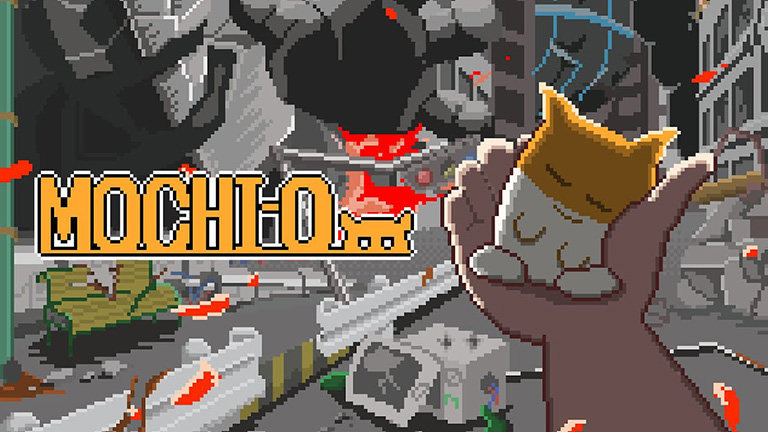
MOCHI-O fuses the retro charm of a Tamagotchi, the explosive destruction of a Godzilla movie, and the twitchy energy of a rodent on a Red Bull binge. The sum of these influences is meme-y and undoubtedly worth the sub-$5 asking price, especially if you’re the kind of player who gets sucked into a game by the drip-feed of upgrades. MOCHI-O can be surprisingly addictive.
Our Pint-Sized Protector
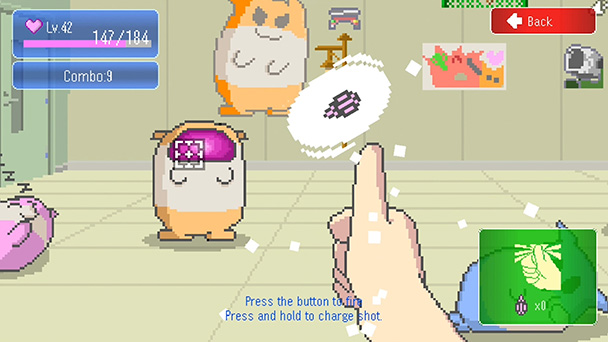
The game centers on nurturing and caring for the game’s eponymous star, a hamster-like creature who also happens to be handy with an arsenal of different weapons. Play balances building a relationship with MOCHI-O with arcade-style, 2D tower-defense sequences where you take aim at land and air battalions moving horizontally across the screen.
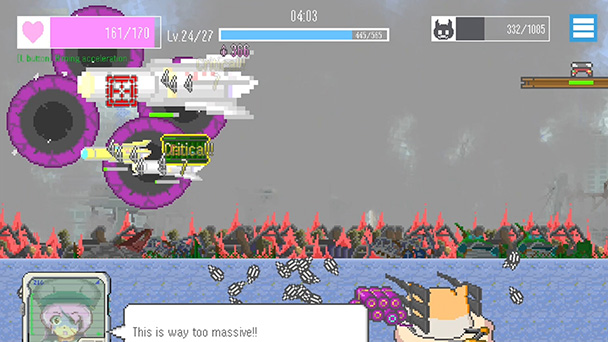
The juxtaposition between scratching MOCHI-O’s furry belly and shooting down vast armies creates a quirky rhythm that shuns lingering on a single activity for too long. Instead, you’ll cycle through gunning to grow and growing to gun as you take on a succession of increasingly difficult missions growing more powerful as your progress. And you’ll also get to decorate MOCHI-O’s room with stickers that showcase the enemies that you’re defeated.
Raising a Hamster, Defending a Nation
Between these sorties, MOCHI-O delivers a bit of dialog-based storytelling. Here, interactions with your superior and ambiguous translations with the lead character provide some spirited charm, and the story strikes a surprisingly sunny tone for a game about weaponized hamsters. While no deep plot twists are present, there’s humor in the game’s retelling of how MOCHI-O treated your predecessor.
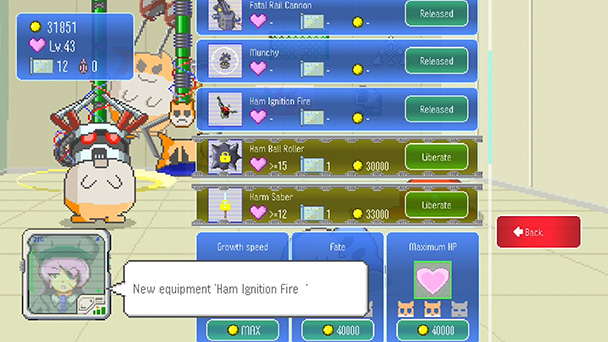
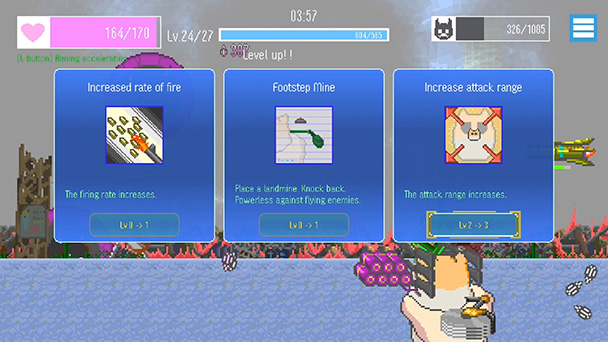
As you’re aiming crosshairs at swarms of enemy squadrons, you’ll want to periodically sweep the ground for food kernels and currency. The former are used to feed MOCHI-O and strengthen your relationship in the process. The latter are used to unlock weapon mods that work in connection with the Vampire Survivors-style selection of randomized perks. And while there isn’t an abundance of different ammunitions, there are plenty of satisfying weapon synergies to be found. Hitting foes with a lock-on missile that randomly triggers a void is just one way to generate some cool chain reactions.
Reading the UI Can Be as Tough as Any Mission
While present, controller support can feel awkward during menu navigation and other MOCHI-O care duties. But a larger issue is the inability to dictate a specific visual resolution. As such, the game plays only in windowed or fullscreen modes and both can make fonts almost impossible to read in certain situations. But if you can overlook that, the game’s deliberately low-poly look conveys doujin charm.
Hop on the Hamster Wheel of Chaos
MOCHI-O succeeds by committing to its quirky premise and keeping its scope tight. The mix of caretaking and tense combat forms a loop that’s consistently engaging, even if it never grows especially deep. Technical quirks and clumsy controller support do hold it back, but they’re easier to forgive given the low price and energetic, explosive spirit. For players who enjoy compact, upgrade-driven indies with a compelling hook, MOCHI-O delivers a cute and rather captivating experience.
MOCHI-O was played on PC with review code provided by the publisher.
Overview
GAMEPLAY - 80%
CONTROLS - 65%
CONTENT - 70%
AESTHETICS - 70%
PERFORMANCE - 70%
VALUE - 85%
73%
Cuddly Carnage
MOCHI-O is a compelling mashup of pet-raising and arcade defense that keeps you bouncing between cuddling a hamster and mowing down enemy squadrons. It has some rough edges, especially in its UI and controller support. But at its low price point the upgrade-driven loop and offbeat charm make it easy to become hooked.