IndieGo #37: 2D Creation with Action Game Maker
Powerful Tools with an Extensive Learning Curve

Across the industry’s early years, you played video games designed by professionals. But the release of 1983’s Pinball Construction Set radically changed that, allowing anyone to build and test their own tables with no knowledge of programming. Expectedly, Bill Budge’s groundbreaking application received unanimous praise, with Apple co-founder Steve Wozniak calling it “the greatest program ever written for an 8-bit machine”.
In the following years, the user-friendly template was allied to genres beyond pinball with efforts like Adventure Construction Set and Racing Destruction Set providing players with the tools to make their own games. Undoubtedly, Budge inspired Media Molecule’s LittleBigPlanet series, which famously invited PlayStation owners to Play, Create, and Share their handiwork. Meanwhile on PCs, applications like RPG Maker were used to craft commercial efforts like Cherry Tree High Comedy Club, Corpse Party, and To the Moon.
Visual Scripting Rather than Coding
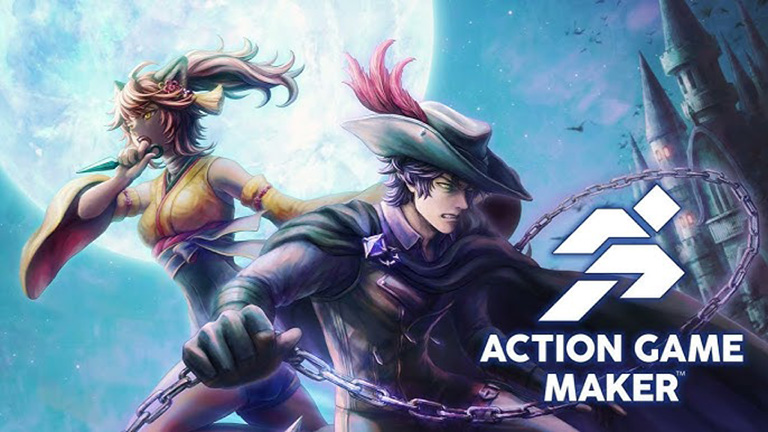
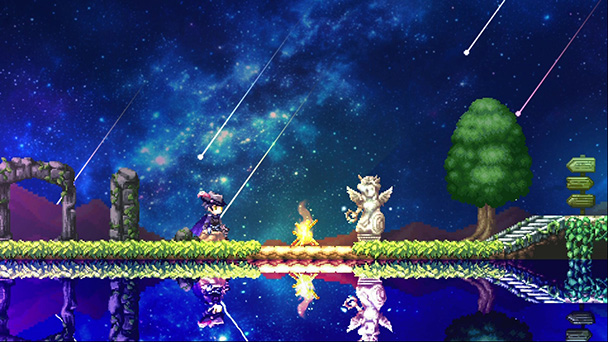
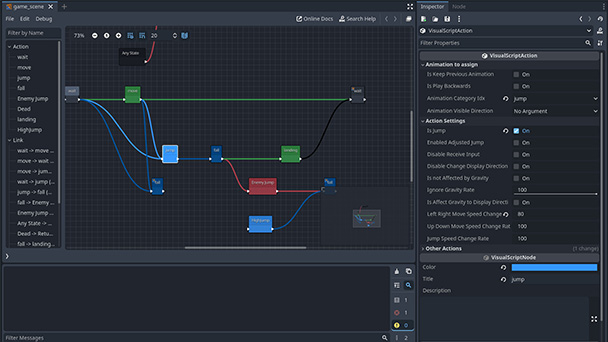
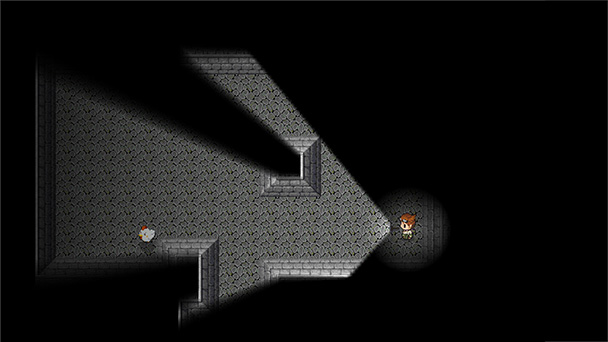
Gotcha Gotcha Game’s Action Game Maker seeks to continue this build-your-own tradition, providing players with a complex toolset so they can make their own 2D-based efforts. Undoubtedly, the suite of tools it provides is remarkably robust. You’ll have access to a wide variety of gameplay mechanics, from character hitboxes to enemy AI routines. The benefit here is that instead of having to write code, you’re creating a visual flow chart of in-game actions.
From physics toggles, parallax scrolling options, and particle effect possibilities, Action Game Maker (hereafter, AGM) rivals the capabilities of many indie game engines. You can manage everything from screen transitions, customize projectile times, and construct switches with a few dropdown menu selections and Boolean logic toggles. For those with the patience to dig even deep, AGM gives you the means to create something genuinely impressive.
Maker Games Depend on Community Support
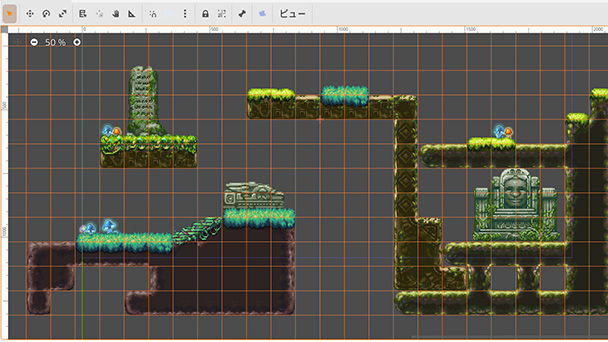
That said, you are going to have to invest quite a bit of time before creating the next OneShot. AGM provides a visual programming interface and helpful templates, but delving into the toolset can be daunting. While it’s likely that community-written guides will emerge, as present, the tutorial only covers the absolute fundamentals. Beyond using a basic web-based guide to create some rudimentary platforming tiling, you are on your own after that. But traditionally, the RPG Maker series and Pixel Game Maker MV have benefitted from assets, templates, and tutorials from helpful individuals. Already there are several solid tutorials, like this multi-part series on making your own metroidvania.
From wading through several dense menus and encountering terminology that’s not always intuitive or consistent, AGM lacks polish of packages like GameMaker. As someone who grew up making clones of BreakOut and Space Invaders, just understanding how to adjust the trajectory of jump took an hour. Essential tasks like importing your assets were a tough challenge, as I struggled with sizing, placement, parsing, and usage of custom sprite sheets. That said, if you’re a Gadot Engine guru, you might have better luck. But since AGM is built with Gadot, budding developers might just want to stick with the open-source software.
The Laborious Process of Game Design
If you are expecting the simplicity of LittleBigPlanet, know that AGM interface feels like a professional toolkit. Before thinking about diving down Gotcha Gotcha Game’s rabbit hole, you’ll need to be conversant with basics like grid snapping, collision masks, animation timelines, and layer sorting. If those terms are familiar, you’ll find a fully featured toolset, but one that’s not explained very well. This is the kind of software that rewards experimentation and persistence while chastising those who lack patience. Know that the creation of tight, fast-paced action games is a slow and deliberate process. Complexity and flexibility are prioritized over accessibility, limiting AGM’s usefulness to newcomers.
But for hobbyists who have tooled with game logic, Action Game Maker might be worth a look. There’s enough assistance so that you won’t have to learn C# coding and enough potential to ensure that you’re not stuck using standard templates. Instead, you’ll find the ability to control states, triggers, and manipulate variables, giving AGM with quite a bit of potential. While multi-stage boss battles, combo systems, and intricate bullet hell patterns were out of reach for me, one of my coding cronies was able to prototype a run-and-gun. Like playing a musical instrument, if I had the time and patience, AGM could be intensely rewarding.
Patience is Compulsory
Action Game Maker is a powerful but rather prohibitive application. Sure, its depth is great, but the toolset lacks the kind of welcoming quality that could attract a larger audience. However, if you have the time and patience, this is a tool that could bring your game concept to life. With a rather lofty barrier-to-entry, Action Game Maker is suited for dedicated developers rather than apprentices hoping to spend an afternoon constructing their own stages.
A copy of Action Game Maker was provided by the publisher for this overview.



Just stick with Gadot or use Unity.